India’s leading tax litigation management platform
Automated tax litigation management for Income Tax, GST and TDS.
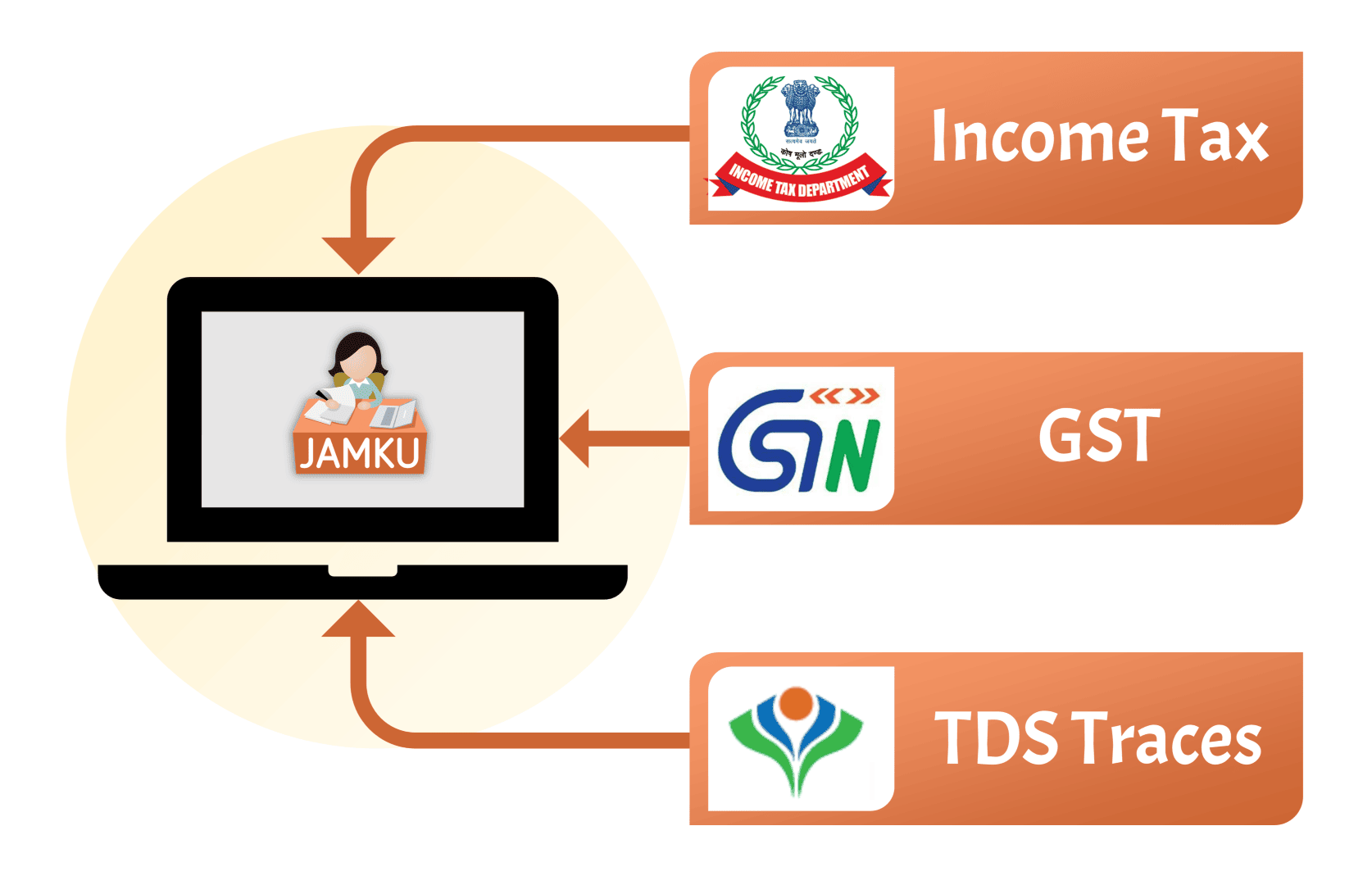
Jamku Portal syncs notices, proceedings, demands, returns and payments from the Income Tax, GST and TDS portals into dedicated module workspaces - with each module’s records linked end to end.
One login. Three modules. No repeated portal logins.
No card required Trusted by 5,000+ tax professionals across India Built by Madrecha Solutions Pvt Ltd.
Synced from
Income Tax
Returns, notices, 26AS / AIS / TIS
GST
Notices, cases, returns, refunds
TDS / TRACES
Statements, defaults, challans
ITAT
Appeals, hearings, orders
GSTAT
Appeals, cross objections
CESTAT
Cases, hearings, orders
The problem
The work isn't the notice. It's the connections.
A notice lives in one portal. The demand it creates lives in another. The payment that settles it sits in a third. The return that started it all is in a fourth.
By the time someone assembles the story, the deadline has already moved. These are the three questions we hear every week:
Which notice belongs to which proceeding - and what is the reply due date?
Is this outstanding demand already paid, adjusted against a refund, or still open?
Which client, entity or GSTIN needs attention before the next filing cycle?
Jamku Portal was built to answer those questions, not just store the documents.
The modules
Pick a department. Open its workspace.
Each module is a dedicated workspace with its own client list, records and reports. Switch modules when the work moves from one department to another.
Income Tax module
Income Tax, connected from intimation to TRACES to ITAT.
Track every return, notice, proceeding, demand, refund and appeal against the same PAN and assessment year - so a notice is never looked at in isolation, and a demand never goes missing between teams.
ARCA UDIN and filed formsReporting Portal batches, proceedings and statementsTRACES requested downloadsForm 13 / 15C / 15D trackingITAT appeal listCA list and assigned formsGrievancesKey person and DSC details
Returns, 26AS, AIS and TIS
Know which ITRs are processed, defective, pending e-verification or filed with the wrong bank details - and reconcile them with Form 26AS, AIS and TIS before they become a follow-up.
26AS
AIS
TIS
e-Verification
Defective returns
C/F loss
Proceedings and notices
Every notice sits inside its proceeding - including Income Tax e-filing and Compliance Portal notices, old and new - with section, response due date, last reply and closure status in one view. Summarize the notice and generate a first-draft reply without leaving the record.
143(1), 143(2), 148, 154
245 and 270A
Compliance Portal (old/new)
AI summary
Draft reply
Replied / pending
Timeline, adjournments and VC
See what happened on the proceeding, when it was adjourned, why, and when the next video conference is listed.
Proceeding timeline
Adjournment reasons
VC date and status
e-Submission closure
Demands and payments
Outstanding demand by AY and section, with the response recorded, interest position and the challan that settles it.
Outstanding demand
Demand response
Interest
Challan
Payment dashboard
Refunds
Follow each refund to the bank account - credited or adjusted - with pending calculation and receipt reports to close the loop.
Refund status
Adjusted vs credited
Refund reissue
Pending receipt
Appeals, filings and reports
Keep ITAT appeals, ARCA filings and UDIN, Reporting Portal batches and TRACES requests attached to the same client - and surface exceptions before a reviewer asks.
ITAT next hearing
ARCA UDIN
RP batch / proceeding
Form 13 / 15C / 15D
UDIN report
C/F loss
Expired DSC
GST module
GST compliance without the tab-hopping.
Notices, case files, returns, refunds, ledgers, challans and appeals, synced from the GST portal and linked by GSTIN, case and tax period - so the notice, the reply, the order and the payment tell one story.
Return Notice Case Reply Order Demand Liability Challan / Payment
GST TDS returnsReturn filesCash and credit ledgersElectronic liability registerChallansARN and amendment trackingBank account validationGSTAT and CESTATPre-GST recovery
Notices and proceedings
Track system-generated notices, show-cause notices, cancellation notices, orders and proceedings - filtered by type, GSTIN, period and reply status. Summarize the notice and generate a first-draft reply without leaving the record.
u/s 46 notices
Cancellation SCN
Orders
AI summary
Draft reply
Proceeding status
Case details and additional notices
Additional notices, replies, orders, recovery details, hearing notes and audit history sit in the same case view.
Case type
Reply
Order
Recovery
Hearing
Audit history
Returns and filing status
Track GSTR-1, 3B, 9, 9C, 2B, 2BQ, 2X and other returns by GSTIN, FY and tax period, with compliance and pending-return views.
Return type
Tax period
Filing date
ARN
Return files
Refunds
Follow each refund through deficiency memos, sanction or rejection, bank validation and credit - with the full refund case history.
Application date
RFD-03 / RFD-06
Bank validation
Refund case timeline
Ledgers, challans and liability
Cash ledger, credit ledger, electronic liability register and challans - with transaction type, reference number, tax period and amount payable.
Cash ledger
Credit ledger
Liability register
Challan status
Payment method
Registration, profile and forums
Track new registration ARNs, amendments, bank validation, key persons and DSC expiry - plus GSTAT and CESTAT matters when a case moves higher.
ARN
REG-14 / REG-04 / REG-21
Bank validation
Key persons
DSC details
GSTAT
CESTAT
TDS module
TDS, from TRACES to your dashboard.
Filed forms, statements, defaults, demands, challans and lower deduction certificates, organised by TAN and quarter - so a default is not discovered after the notice, and an unclaimed challan does not sit unnoticed.
Non-filing declarationsCSI filesRequested downloadsReporting Portal batches and proceedingsRC conso filesTAN application statusKey person details
Filed forms and statement status
Track Form 24Q, 26Q, 27Q and other filed forms by TAN, FY and quarter, then follow the statement through processing.
Filed form
Acknowledgement
Original / correction
Processing status
Rejected forms
Defaults, demands and notices
See TRACES demands by FY and quarter, the form and section that created them, and the notices issued for default or PAN errors. Summarize the notice and generate a first-draft reply without leaving the record.
Demand list
Default intimation
Notice date
AI summary
Draft reply
Form / section
Proceedings and adjournments
Track the proceeding list and proceeding notices, response status, adjournments and closure with the same timeline discipline as Income Tax.
Proceeding list
Proceeding notice
Response type
Adjournment
Closure
Payments and challans
See paid and unclaimed challans by TAN, with BSR code, deposit date, amount and claim status.
Challan number
BSR code
Deposit date
Claimed / unclaimed
Amount
Lower deduction certificates
Track LDC and child LDC details - deductee PAN, section, rate, limit, validity and certificate number - so the next payment uses the right rate.
LDC
Child LDC
Section code
Rate and limit
Validity
Downloads, compliance and profile
Track Form 16, 16A, 27D, conso files, justification reports and PAN error reports - with due-vs-filed compliance and key person/DSC detail.
Form 16 / 16A / 27D
Conso file
Justification report
Compliance dashboard
Key persons
DSC details
AI assistance
From notice to first draft, faster.
For notices across Income Tax, GST and TDS, Jamku Portal can summarize the notice and prepare a first-draft reply - so your team starts with the facts and a structure instead of a blank page.
AI notice summarization
Turn a long notice into a clear summary - section, period, issue, response due date and what the department is asking for.
AI draft reply
Generate a first-draft response from the notice context, then review, edit and file it through your normal process.
AI assists. Your team reviews and files every reply.
Reports
Answers, not exports.
Every report starts from a question a partner, CFO or client actually asks. These are the ones teams open first.
Income Tax · GST
Proceeding Dashboard
Which proceedings are open, what is the latest notice, and when is the reply due?
Income Tax · GST · TDS
Pending Returns
Which clients or entities have not filed - and what did they file last year?
Income Tax
Payment Dashboard
How much advance tax, self-assessment tax or challan payment has each client made this year?
Income Tax
Notice Report
Which sections are generating the most notices, and in which assessment years?
GST
Tax Liability Consolidation
Where does GSTR-1/2B liability differ from GSTR-3B payments?
TDS
Compliance Dashboard
Which TDS returns are due, filed late, or still pending for the quarter?
Report library
Income Tax
Refund Pending CalculationRefund Pending ReceiptUDIN ReportReturn C/F LossDefective ReturnsWrong Bank DetailsReturns Pending e-VerificationExpired DSCLogin BlockedOther PAN ProceedingPANs not linked with Aadhaar
Does Jamku Portal file returns or reply to notices?
No. Jamku Portal is the tracking, linking and reporting layer. Your team files and replies on the government portal; Jamku keeps the status, documents and deadlines visible.
Which portals does it connect to?
Income Tax e-filing, GST, TRACES, the Reporting Portal, ARCA, ITAT, GSTAT and CESTAT.
Can I manage multiple clients and entities?
Yes. Clients, groups, GSTINs, TANs and PANs can be viewed separately or rolled up.
Does it cover old assessment years and pre-GST matters?
Yes. Income Tax supports older AYs and C/F loss history; GST includes pre-GST recovery; TDS covers prior financial years where data is available.
How current is the data?
Data syncs on a schedule, and every module has a manual sync option when you need the latest position.
Is there a free trial?
Yes - a 5-day free trial, no card required.
Reviews
Trusted by tax teams across India.
What teams say after moving their notice, demand and proceeding tracking into Jamku Portal.
5,000+ tax professionals
“Super smooth Jamku onboarding and blazing fast queries. Exactly what our tax team needed.”
ASAarav ShahCA practice
“The dashboard saves us hours every week. Clean, reliable and easy to review.”
PMPriya MehtaCorporate tax team
“Notice tracking is effortless now. The support and steady improvements make a real difference.”
RKRohan KulkarniTax practice
“Everything in one place with Jamku. Appeals and assessments are organized perfectly.”
SKSimran KaurTax advisory
“Jamku keeps every case on track - smart reminders and filings in minutes.”
VPVikram PatelCA practice
“Simple, powerful and dependable. Team collaboration improved a lot after we moved to Jamku.”
NGNeha GuptaCorporate tax team
“Jamku notifications and reminders are spot on. Reduced missed deadlines to near zero.”
AVAnkit VermaTax practice
“Best value for money with Jamku. Clear audit trails and secure data.”
INIsha NairCorporate tax team
“Jamku integrations just work. Our process is finally standardized.”
RJRahul JoshiTax advisory
Get started
Stop reconstructing the story. Start seeing it.
Connect your portals, bring every notice, demand, return and refund into its module workspace, and give your team back the hours it spends joining the dots.